Introduction
When buying a new laptop, desktop, or upgrading an old computer, one of the biggest decisions is choosing between an SSD and an HDD. Many people see these two storage options but are not sure which one is the better choice. Both have their own strengths, and the right option depends on how you use your computer.
If you want faster performance, quick boot times, and better reliability, an SSD is usually the first choice. If you need a large amount of storage without spending too much money, an HDD can still be a good option. Understanding the differences between these two storage devices will help you make a smart decision and avoid spending money on something that does not fit your needs.
In this guide, we will compare SSD vs HDD in detail, including speed, durability, lifespan, gaming performance, pricing, and which storage type is better for different users.
What Is an SSD
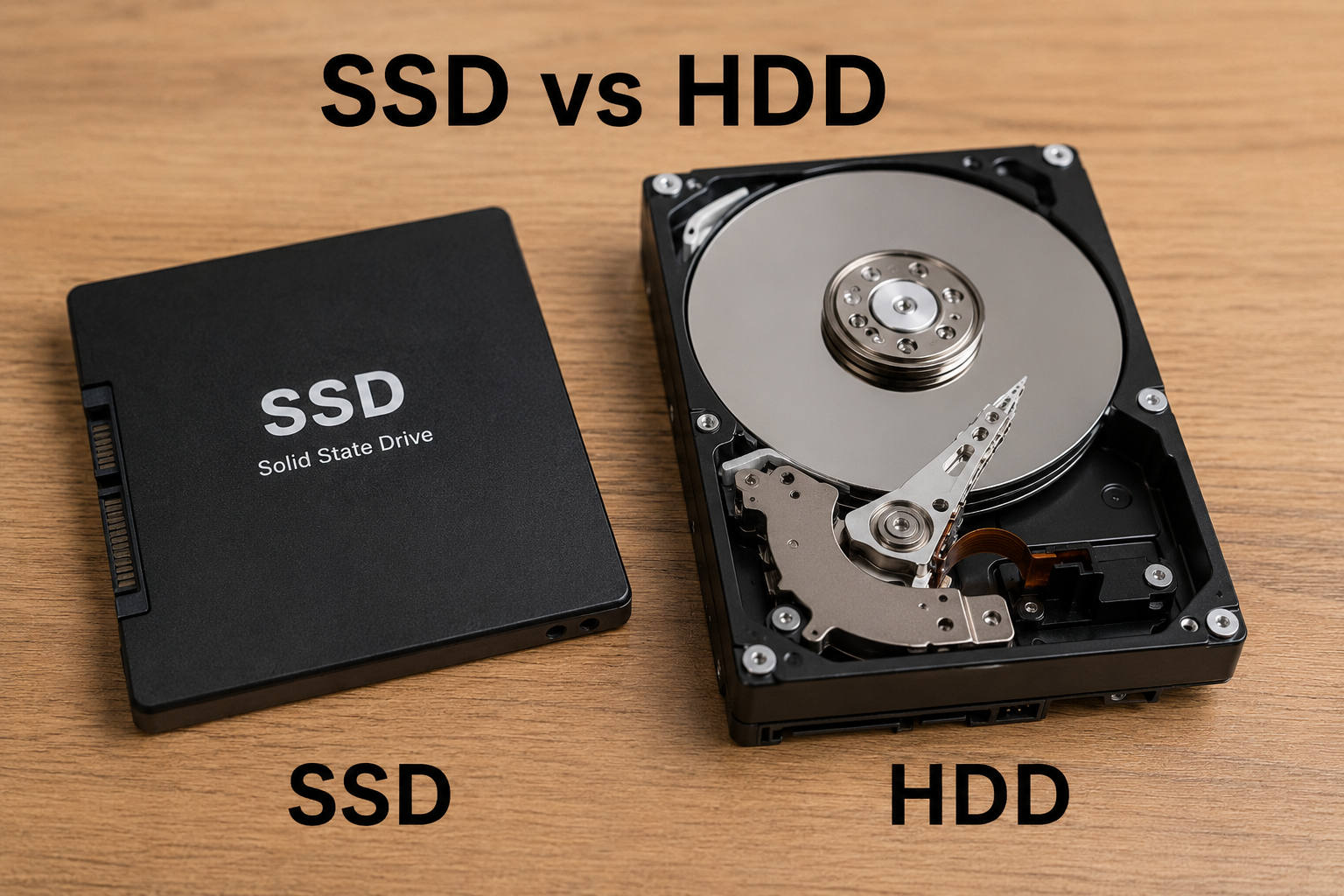
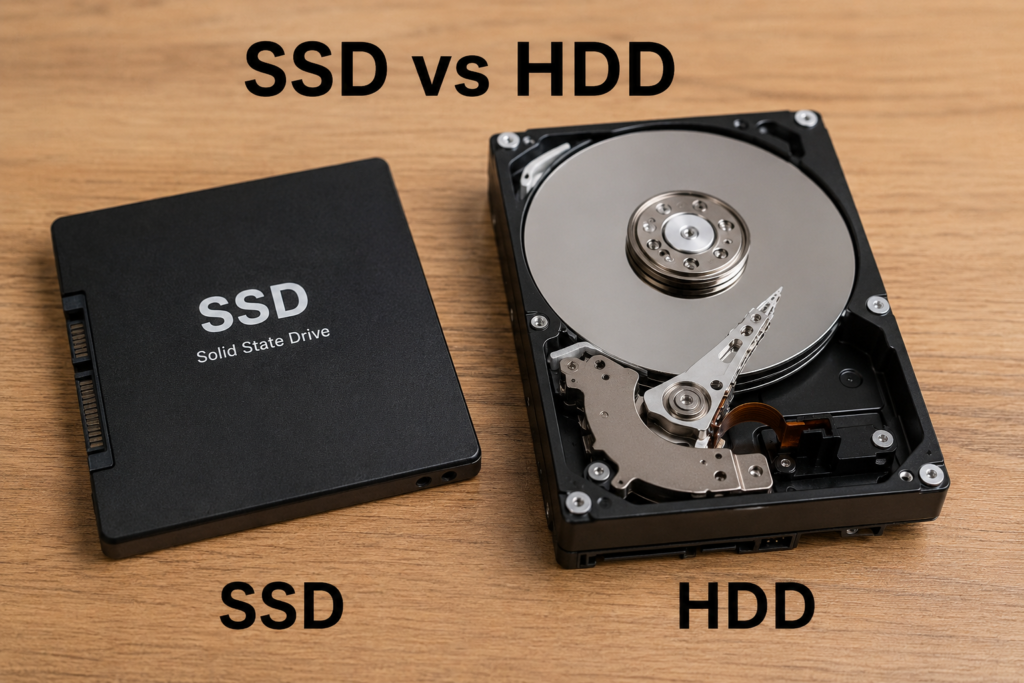
SSD stands for Solid State Drive. It stores data using flash memory instead of spinning disks. Because it has no moving parts, it works much faster than a traditional hard drive.
An SSD can read and write data almost instantly. This means your operating system loads faster, applications open quickly, and file transfers take much less time.
Today, most modern laptops and desktop computers come with SSD storage because it provides a much smoother user experience.
What Is an HDD
HDD stands for Hard Disk Drive. It stores data on magnetic spinning disks called platters. A mechanical arm moves across these disks to read and write information.
This technology has been around for decades and is still widely used because it offers large storage capacities at affordable prices.
Although HDDs are slower than SSDs, they remain popular for storing photos, videos, backups, and other files that do not require high speed.
SSD vs HDD Speed Comparison
The biggest difference between SSD and HDD is speed.
An SSD can boot Windows in less than 15 seconds on most computers. Applications launch almost instantly, and games load much faster.
An HDD may take over a minute to boot Windows depending on the computer and software installed.
Copying large files is also much quicker on an SSD. A file that takes several minutes to transfer on an HDD may finish in seconds on a modern SSD.
If speed is your priority, there is no competition. SSD wins easily.
SSD vs HDD Performance
Computer performance depends on many components, but storage has a major impact.
An SSD improves overall responsiveness. You can open multiple programs quickly without waiting. Software updates install faster, and multitasking becomes smoother.
An HDD performs well for basic storage tasks but struggles when handling many read and write operations at the same time.
If you use editing software, programming tools, or professional applications, an SSD provides a noticeable performance improvement.
Gaming Performance
Many gamers ask whether SSD improves gaming.
An SSD does not usually increase game frame rates because graphics performance mainly depends on the GPU.
However, an SSD greatly reduces loading times. Games start faster, maps load quicker, and updates install more rapidly.
Modern open world games also stream textures faster from SSD storage, resulting in a smoother gaming experience.
If you enjoy gaming, installing both Windows and your favorite games on an SSD is highly recommended.
Reliability and Durability
One major advantage of SSD storage is durability.
Since SSDs have no moving parts, they are more resistant to drops, vibration, and accidental impacts. This makes them an excellent choice for laptops that travel frequently.
HDDs contain spinning disks and moving mechanical components. A hard drop can damage these parts and cause data loss.
For portable computers, SSDs are generally much safer.
Lifespan Comparison
Many people believe HDDs last longer than SSDs, but this is not always true.
Modern SSDs are designed to handle hundreds of terabytes of written data before wearing out. For average users, this often means many years of normal use.
HDDs also have a long lifespan, but mechanical parts can eventually fail due to wear and tear.
In real world use, both storage types can last several years if used properly. Regular backups remain important regardless of which drive you choose.
Storage Capacity
HDDs still have one significant advantage.
They offer much larger storage capacities at lower prices.
You can easily find HDDs with capacities of 2TB, 4TB, 8TB, and even larger.
SSDs are available in similar capacities but become much more expensive as storage size increases.
If you need massive storage for videos, movies, or backups, HDD provides better value.
Price Comparison
Price is another important factor.
An HDD costs much less per gigabyte than an SSD.
For example, you may buy a 2TB HDD for nearly the same price as a 500GB SSD.
Although SSD prices have dropped significantly over the last few years, HDDs remain the cheaper option for storing large amounts of data.
If you have a limited budget and require maximum storage space, HDD is still a practical choice.
Noise and Power Consumption
SSDs operate silently because they contain no moving parts.
HDDs produce noise from spinning disks and moving read heads. While modern HDDs are quieter than older models, they are not completely silent.
SSDs also consume less power, helping laptops achieve slightly longer battery life.
For users who value quiet operation and energy efficiency, SSD is clearly the better option.
SSD vs HDD for Students
Students often use computers for assignments, online classes, browsing, and office work.
An SSD makes everyday tasks much faster and improves productivity.
A 512GB SSD is usually enough for most students unless they store large video collections or professional media files.
SSD vs HDD for Office Work
Business users benefit greatly from SSD storage.
Office applications launch quickly, files open instantly, and overall workflow becomes smoother.
Waiting for a slow hard drive every day can reduce productivity.
For business computers, SSD is the preferred storage solution.
SSD vs HDD for Video Editing
Video editing requires both speed and storage.
Editors often use SSDs for editing projects because they provide fast file access and smooth playback.
Large HDDs are commonly used as secondary storage for completed projects and backups.
This combination delivers excellent performance while keeping storage costs under control.
SSD vs HDD for Content Creators
Photographers, YouTubers, and graphic designers work with large files every day.
An SSD speeds up importing, exporting, and editing photos and videos.
Many professionals use an SSD as the primary drive and an HDD for long term storage.
This setup offers the best balance between speed and capacity.
Can You Use Both SSD and HDD Together
Yes, and this is actually one of the best solutions.
Install Windows and your important software on the SSD.
Store movies, photos, documents, downloads, and backups on the HDD.
This approach gives you excellent performance while also providing plenty of affordable storage space.
Many desktop computers and some laptops support both storage devices simultaneously.
Advantages of SSD
SSD offers many benefits that make it the preferred choice for modern computers.
It delivers much faster performance.
It boots Windows quickly.
Applications open almost instantly.
It operates silently.
It consumes less power.
It is more resistant to physical damage.
It improves the overall user experience.
Advantages of HDD
HDD still has several important advantages.
It offers more storage for less money.
It is ideal for backups and archives.
It works well for storing large media collections.
It remains a cost effective solution for users who need maximum capacity.
Which Storage Should You Buy
If your budget allows only one storage device, an SSD is usually the better investment.
The speed improvement is immediately noticeable and makes everyday computing much more enjoyable.
Choose an HDD if your main priority is storing huge amounts of data at the lowest possible cost.
If possible, combine both drives. Use an SSD for your operating system and applications while keeping an HDD for large files and backups.
This setup provides excellent speed without sacrificing storage capacity.
Final Verdict
The debate between SSD vs HDD comes down to speed versus storage value. SSDs are significantly faster, quieter, more durable, and better suited for modern computing. They improve boot times, application performance, gaming load times, and overall system responsiveness.
HDDs remain useful because they provide large storage capacities at affordable prices, making them ideal for backups, media libraries, and long term file storage.
For most users in 2026, an SSD is the best choice as the primary storage drive. If you also need plenty of space for photos, videos, and other large files, adding an HDD alongside your SSD gives you the best of both worlds.
No matter which option you choose, understanding your storage needs before making a purchase will help you build a faster, more reliable, and more efficient computer.