Introduction
If you have ever searched for ways to stay safe online, you have probably come across the term VPN. Many people recommend using a VPN, but beginners often feel confused because the technology sounds complicated. The good news is that a VPN is much easier to understand than it seems.
A Virtual Private Network, commonly called a VPN, is a tool that protects your internet connection and keeps your online activities more private. Whether you are browsing websites, using public WiFi, shopping online, or streaming videos, a VPN can add an extra layer of security.
In this beginner friendly guide, you will learn what a VPN is, how it works, why people use it, its advantages, limitations, and how to choose the right VPN for your needs.
What Is a VPN?
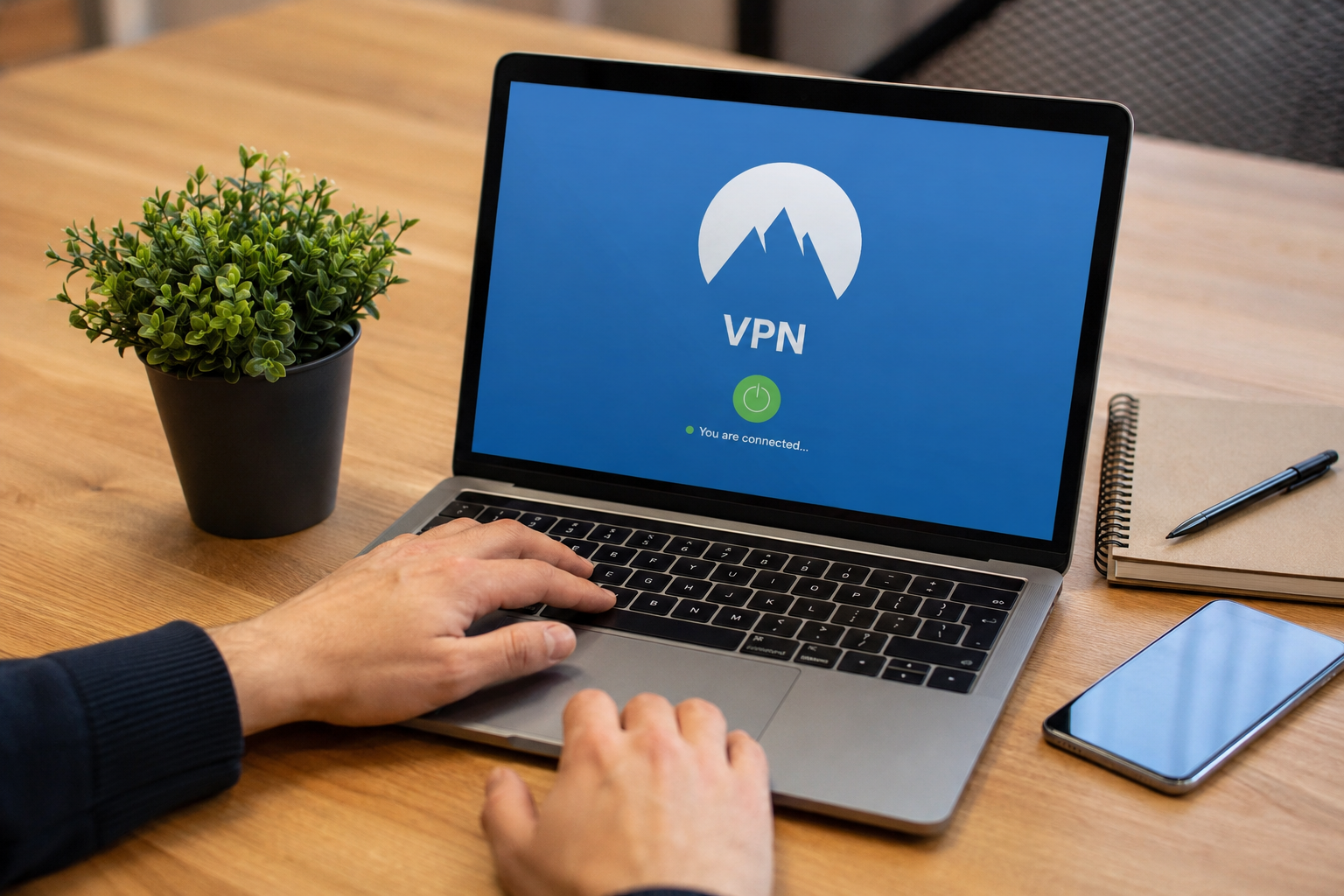
A VPN is a service that creates a secure connection between your device and the internet. Instead of connecting directly to a website, your internet traffic first passes through a secure VPN server.
Think of it like sending a letter inside a locked box. Anyone who sees the box cannot read the letter inside because it is protected. A VPN works in a similar way by encrypting your internet data.
Without a VPN, your internet service provider and sometimes other people on the same network can see certain information about your online activity. With a VPN, your data becomes encrypted, making it much harder for others to monitor your internet usage.
How Does a VPN Work?
Understanding how a VPN works is easier when you break it into simple steps.
First, you install a VPN application on your computer, smartphone, or tablet.
Next, you open the app and connect to a VPN server located in a country or city of your choice.
After the connection is established, all of your internet traffic travels through that VPN server instead of directly to the websites you visit.
The VPN encrypts your data before it leaves your device. When it reaches the VPN server, the server sends your request to the website. The website sees the VPN server’s IP address instead of your real IP address.
This process improves privacy and makes it more difficult for others to track your online activity.
What Is Encryption?
Encryption is one of the most important features of a VPN.
Encryption converts your data into unreadable code while it travels across the internet. Even if someone intercepts the data, they cannot easily understand it without the correct encryption key.
For example, if you log into your online banking account while connected to public WiFi, encryption helps protect your username, password, and other sensitive information from hackers.
This is one of the biggest reasons why cybersecurity experts recommend using a VPN when connecting to public wireless networks.
What Is an IP Address?
Every device connected to the internet has an IP address. You can think of it as your device’s online address.
Your IP address can reveal your approximate location and is used by websites to identify your connection.
When you use a VPN, your real IP address is hidden. Instead, websites see the IP address of the VPN server you selected.
This helps improve online privacy and can make it harder for advertisers and trackers to build detailed profiles of your browsing habits.
Why Do People Use a VPN?
People use VPN services for many different reasons.
The most common reason is protecting personal privacy while browsing the internet.
Many users also connect to a VPN before using public WiFi at airports, hotels, restaurants, coffee shops, or libraries because these networks may not always be secure.
Some remote employees use VPNs to securely access company files while working from home.
Others simply want to reduce online tracking from advertisers and third party companies.
A VPN is also useful for people who travel frequently because it allows them to maintain a secure internet connection regardless of where they are.
Benefits of Using a VPN
A VPN offers several valuable benefits for everyday internet users.
The first benefit is improved online privacy. Your internet traffic becomes encrypted, making it more difficult for others to monitor your activities.
Another major advantage is increased security. VPNs help protect sensitive information when using public WiFi networks.
VPNs also hide your real IP address, which adds another layer of privacy while browsing.
Many VPN providers have servers in multiple countries, giving users more flexibility when connecting to the internet.
Another benefit is reduced tracking from advertisers who collect browsing information to display targeted advertisements.
Overall, a VPN helps create a safer and more private online experience.
Are VPNs Completely Anonymous?
Many beginners believe that using a VPN makes them completely anonymous online.
This is not true.
A VPN improves your privacy, but it does not make you invisible.
If you log into your social media accounts, email, or online shopping accounts, those services still know who you are because you signed in with your personal information.
Websites can also use cookies and other tracking methods.
A VPN should be viewed as one important privacy tool rather than a complete solution for online anonymity.
When Should You Use a VPN?
There are many situations where using a VPN makes sense.
If you regularly connect to public WiFi, using a VPN is highly recommended.
If you work remotely and access company systems, a VPN helps secure your connection.
If you want additional privacy while browsing at home, a VPN can also be useful.
People who frequently travel often use VPNs to maintain secure internet access across different countries.
Using a VPN during online banking or shopping can also provide extra peace of mind by protecting your internet traffic.
Free VPN vs Paid VPN
One of the biggest questions beginners ask is whether they should choose a free VPN or a paid VPN.
Free VPNs can be useful for testing how VPN technology works. However, many free services have limitations such as slower speeds, fewer server locations, lower data limits, and fewer security features.
Some free VPN providers may even collect user data to support their business model.
Paid VPN services usually provide faster speeds, stronger encryption, larger server networks, better customer support, and additional privacy features.
If you plan to use a VPN regularly, investing in a trusted paid VPN is often the better choice.
Does a VPN Slow Down Internet Speed?
Because your internet traffic travels through an additional server, some reduction in speed is normal.
However, high quality VPN providers have fast servers that minimize speed loss.
Your internet speed also depends on your original connection, server distance, server load, and the VPN protocol being used.
For everyday browsing, streaming, and online work, most users notice very little difference when using a reliable VPN.
Is Using a VPN Legal?
In most countries, using a VPN is completely legal.
Businesses, schools, and remote workers use VPN technology every day to protect sensitive information.
However, some countries have restrictions on VPN usage or regulate certain VPN services.
Even when using a VPN, users are still responsible for following local laws and the terms of the websites and services they access.
A VPN should always be used responsibly and for legitimate purposes.
How to Choose the Best VPN
There are many VPN providers available, so choosing the right one can seem difficult.
Look for a VPN that offers strong encryption, a clear privacy policy, fast connection speeds, and servers in multiple countries.
It is also helpful to choose a provider with easy to use apps for Windows, macOS, Android, iPhone, and other devices.
Reading customer reviews and checking independent security evaluations can help you make an informed decision.
Reliable customer support is another feature worth considering, especially if you are new to VPN technology.
Common VPN Myths
Several myths cause confusion among beginners.
One common myth is that VPNs make you completely anonymous. While they improve privacy, they do not hide your identity from every website or service.
Another myth is that VPNs are only for hackers or technology experts. In reality, millions of ordinary people use VPNs every day for privacy and security.
Some people also believe that all VPNs provide the same level of protection. This is incorrect because security features, privacy policies, and performance vary between providers.
Finally, many users think VPNs guarantee complete protection against cyber threats. Although they improve security, they should be combined with strong passwords, antivirus software, software updates, and safe browsing habits.
Tips for Beginners
If you are using a VPN for the first time, keep these simple tips in mind.
Choose a trusted VPN provider with a good reputation.
Always keep your VPN application updated.
Use the VPN whenever connecting to public WiFi.
Create strong passwords for all your online accounts.
Enable two factor authentication whenever possible.
Avoid downloading files from unknown websites, even when connected to a VPN.
Remember that safe online behavior is just as important as using security tools.
Conclusion
Understanding VPN explained for beginners does not have to be difficult. A VPN is simply a tool that encrypts your internet connection, hides your IP address, and improves your online privacy. It is especially useful when using public WiFi, working remotely, or protecting sensitive information while browsing the internet.
Although a VPN is not a complete solution for online security, it plays an important role in keeping your personal data safer. When combined with strong passwords, updated software, antivirus protection, and smart browsing habits, a VPN becomes a valuable part of your digital security toolkit.
If you are new to online privacy, starting with a trusted VPN service is a smart step toward creating a safer and more secure internet experience.